Frontend network is overall a single platform to view user ‘s personal and functional information like payouts, left or right group etc. It has eight informational and functional links as shown in screenshot –

Let’s understand each link –
Network Details:
Use this section to view and check user’s personal and functional informations like Genealogy, Payouts, Left or Right Leg sales, Personal Sales. It displays brief or introductory information and links of all other network sections like Genealogy, Payouts, Left or Right Leg Sales etc.
You can edit your personal informations – Title, Name, Address, City, Contact No., DOB
You can also view affiliate link at this section.
Genealogy:
Use this section to view your network tree. It gives pictorial information about user detail like username, paid/unpaid flag, downline view link, left or right count at first sight. You can also add new user at left or right leg.

Left Group:
Use this section to view Left Group details like – user name, user key, sponsor name, status of the user. You can also view total number of user and total number of active user at this section.
Right Group:
Use this section to view Right Group details like – user name, user key, sponsor name, status of the user. You can also view total number of user and total number of active user at this section.
Personal Group:
Use this section to view users list that have been consulted by you personally. You can view each user details like – user name, user key, sponsor name, status of the user. Total number of users and total number of active users can also be viewed at this section.
My Consultants:
Use this section to view all members that have been listed at either left or right legs. You can check total number of users and total number of left or right legs at this section. A list of each user’s User name, User Key, Sponsor, Placement(left or right) and Status(active or inactive) is also available at this section.
My Payouts:
Use this section to view summaries information about Total Amount Credited, Pending Payments, Processed Payments, Available Amount.
You can also view list of each payout’s date, amount and status at this section. Click at “view” link at action column to view each payout detail.
Join Network:
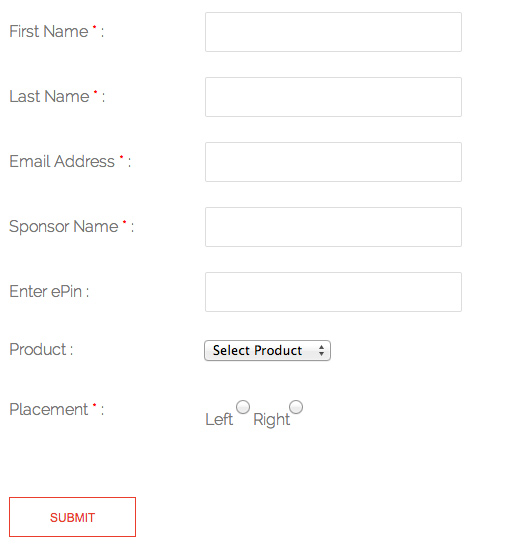
Use this section to become MLM user if you are non-MLM user. You have to fill “Join Network” form to become user. Form screenshot has been shown below –